
My Stocks Portfolio
Peeksoft: Stock Market & InvestingFinance
4.87.96K Reviews
- Version
- 2.1123
- Installs
- 1.00M
- Age Rating
- Everyone
Screenshots
Our Review of My Stocks Portfolio
 Analysis by Appyee
If you're anything like me, keeping track of your investments can feel like juggling flaming torches while riding a unicycle. Enter My Stocks Portfolio, an app designed to make managing your investments a breeze. I've had the chance to dive deep into this app, and let me tell you, it’s like having a financial advisor in your pocket. Let’s break down what makes this app a go-to for anyone looking to get serious about their portfolio.
Getting Started
The first thing you notice about My Stocks Portfolio is how easy it is to set up. No lengthy registration process here—just download, and you're ready to roll. The clean interface is a breath of fresh air, especially if you’ve been buried under spreadsheets or clunky websites for your stock tracking.
Once inside, you can effortlessly add stocks, mutual funds, and even cryptocurrency to your portfolio. The app supports a wide range of international markets, so whether you’re dabbling in the NYSE or the Nikkei, you’re covered. It's like having a global stock exchange right at your fingertips.
Features That Shine
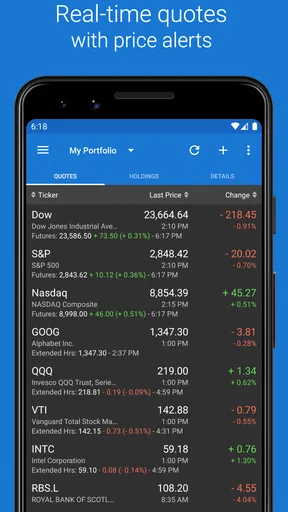
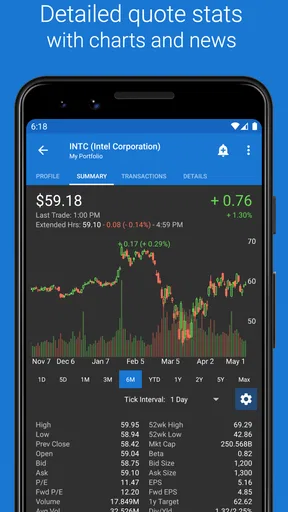
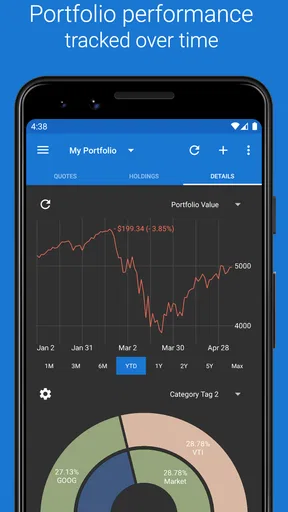
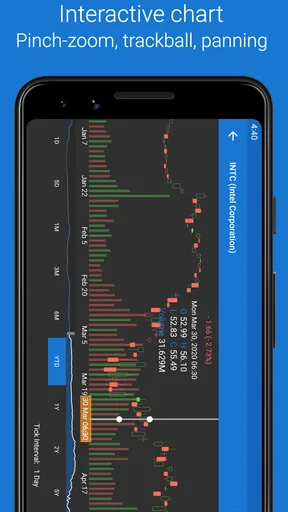
Where My Stocks Portfolio really shines is in its features. You can track your investments in real-time with live quotes, which is crucial if you’re someone who likes to make quick decisions based on market movements. Plus, the app provides detailed charts and graphs, making it easier to understand how your stocks are performing over time.
One feature I found particularly useful is the dividend tracking. It automatically calculates your dividend income, which is a game-changer for anyone relying on dividend stocks for passive income. The app even sends you notifications for upcoming ex-dividend dates, so you never miss out.
Customization Galore
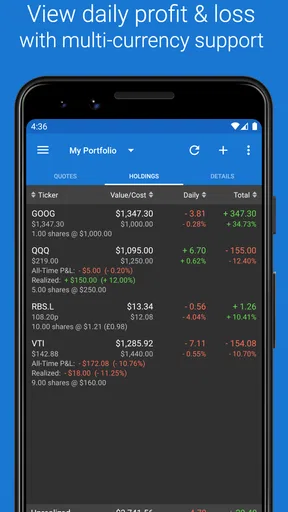
Every investor is different, and My Stocks Portfolio gets that. It offers a level of customization that’s rare in stock tracking apps. You can adjust everything from the currency display to the theme of the app. Want to track your portfolio in euros instead of dollars? No problem. Prefer a dark mode to save battery life? Done. It’s like having your very own tailor-made investment tracker.
Ease of Use
No one wants to spend hours trying to figure out how an app works, and the developers behind My Stocks Portfolio seem to understand that perfectly. The user interface is intuitive, with everything where you’d expect it to be. The learning curve is practically nonexistent, which is a huge plus if you're not particularly tech-savvy.
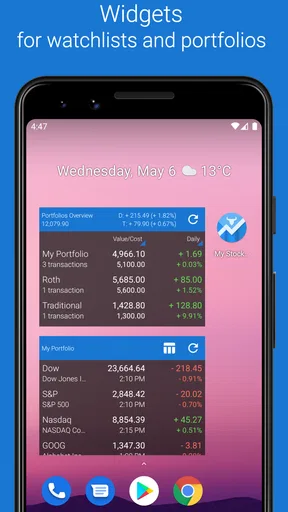
Even if you’re new to investing, the app’s design and functionality make it easy to grasp the basics. You can even set up multiple portfolios if you’re managing different sets of investments, whether for personal finance or business.
Security and Data Privacy
Now, let’s talk about something that’s on everyone’s mind these days—security. My Stocks Portfolio takes your data privacy seriously. The app doesn’t require you to connect your brokerage accounts, which means your sensitive financial information stays secure. Instead, you manually enter your stock data, giving you full control over what information is shared.
The app also provides options for setting up a PIN or biometric login, ensuring that your portfolio is protected even if your phone falls into the wrong hands.
Final Thoughts
In the world of investment apps, My Stocks Portfolio stands out for its simplicity, robust features, and customization options. Whether you’re a seasoned investor or just getting started, this app offers everything you need to manage your investments effectively and efficiently. It’s like having a personal stockbroker, minus the hefty fees.
So, if you’re tired of juggling your investments manually or want a more streamlined way to keep track of your portfolio, give My Stocks Portfolio a try. You might just find it’s the investment partner you never knew you needed.
Verdict
Strengths of My Stocks Portfolio
- User-friendly interface for easy navigation.
- Real-time stock quotes and updates.
- Customizable watchlists for tracking.
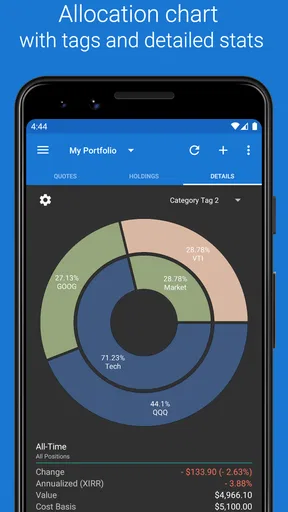
- Comprehensive portfolio analysis tools.
- Supports multiple stock exchanges globally.
Limitations of My Stocks Portfolio
- Limited cryptocurrency support.
- Ads in the free version can be intrusive.
- Requires internet for most features.
- No direct trading through the app.
- Occasional syncing issues reported.
Similar Picks in This Category
View All
Google Wallet
Google LLC4.3

Airtel: Recharge, Bank & Loans
Airtel4.0

PayPal - Pay, Send, Save
PayPal Mobile4.2

DANA Indonesia Digital Wallet
PT Espay Debit Indonesia Koe4.5

Binance: Buy Bitcoin & Crypto
Binance Inc.4.8

Cash App
Block, Inc.4.7
Frequently Asked Questions
What features does My Stocks Portfolio offer for tracking investments?
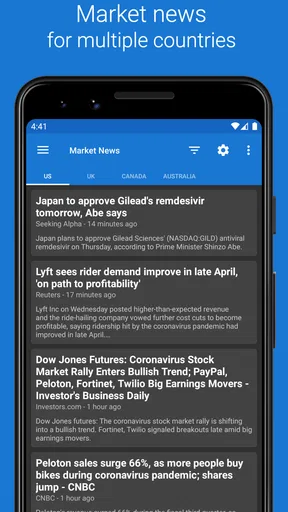
My Stocks Portfolio provides a comprehensive suite of features for tracking your investments, including real-time stock quotes, customizable watchlists, and detailed portfolio analysis. Users can view performance graphs, set price alerts, and access financial news relevant to their holdings. The app also supports multiple currencies and markets, making it versatile for international investors.
Is My Stocks Portfolio suitable for beginner investors?
Yes, My Stocks Portfolio is designed to be user-friendly, making it suitable for both beginners and experienced investors. The interface is intuitive and straightforward, with comprehensive tutorials and help sections. Beginners can easily set up their portfolios and start tracking investments without extensive financial knowledge.
Does My Stocks Portfolio support multiple device synchronization?
My Stocks Portfolio supports synchronization across multiple devices. Users can access their portfolio data on both Android and iOS devices, ensuring they have up-to-date information at their fingertips. The app also provides cloud backup options, so your data remains secure and accessible from any device.
How does My Stocks Portfolio ensure data security and privacy?
My Stocks Portfolio prioritizes user data security and privacy. The app employs encryption protocols to protect sensitive information and does not store personal data on its servers. Users can also enable additional security measures, such as biometric authentication, to further safeguard their investment details.
Are there any in-app purchases or subscription fees in My Stocks Portfolio?
My Stocks Portfolio offers both free and premium versions. The free version includes basic features, while the premium version unlocks advanced tools such as enhanced analytics and ad-free experience. Users can opt for a monthly or yearly subscription, with the option to cancel at any time without losing data.
